
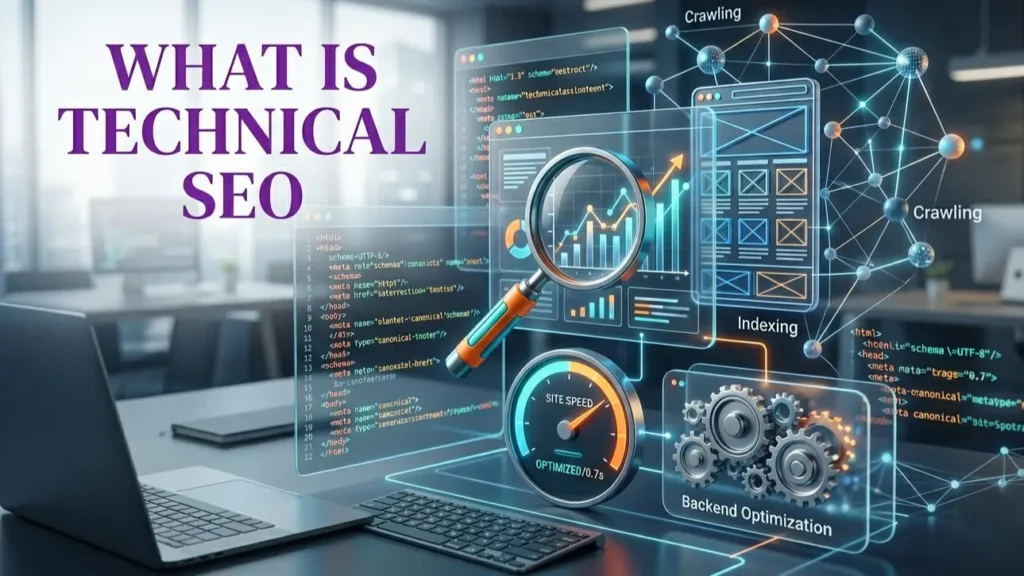
This guide covers everything you need to know about technical SEO: what it is, what it includes, why it matters in 2026 (including for Google’s AI-powered search features like AI Overviews), and how to approach a technical SEO audit for your own site.
What is Technical SEO?
Technical SEO refers to the process of optimising the non-content aspects of a website so that search engines like Google can efficiently crawl, index, and render every page – and so that users have a fast, seamless experience when they arrive.
While content SEO focuses on what you say and off-page SEO focuses on who links to you, technical SEO focuses on the infrastructure of your website: how it’s built, how it loads, how it communicates with search engine bots, and how cleanly data is structured beneath the surface.
Put simply: technical SEO is the foundation that everything else sits on. The best content and the strongest backlink profile will underperform if Google cannot reliably crawl your pages, render your JavaScript, or serve your site quickly to mobile users.
For businesses across Australia – whether you’re a small local business or a large ecommerce operation – investing in professional SEO and web solutions from iBiz Solutions means getting both the technical foundation and the strategic content direction working together from the start.
Technical SEO vs On-Page SEO vs Off-Page SEO
SEO is often broken into three broad pillars. Understanding how they differ helps you prioritise where to focus your effort:
| Type | What It Covers | Examples |
|---|---|---|
| Technical SEO | Website infrastructure, crawlability, speed, security, and code | Site speed, XML sitemaps, HTTPS, canonical tags, structured data |
| On-Page SEO | Content quality, keyword usage, and page-level optimisation | Title tags, meta descriptions, headings, keyword placement, internal links |
| Off-Page SEO | Authority signals and external relationships | Backlinks, brand mentions, social signals, local citations |
Technical SEO and on-page SEO often overlap – for example, a well-structured URL is both a technical and an on-page consideration. In practice, the most effective SEO strategies address all three pillars in coordination. Tailored SEO services for small businesses in Australia typically begin with a technical audit precisely because structural issues can block all other optimisation efforts from delivering results.
Why Technical SEO Matters in 2026
Google’s ranking systems have grown substantially more sophisticated over the past decade, and in 2026 they are deeply integrated with artificial intelligence. Several forces make technical SEO more important than ever:
1. AI-Powered Search Features Rely on Indexability
Google’s AI Overviews and AI Mode – the generative AI features increasingly prominent in Australian search results – are built on top of Google’s core Search index. According to Google’s official AI optimisation guide, a page must first be indexed and eligible to appear in standard Search results before it can be considered for AI-generated responses. A site with crawling or indexing errors is effectively invisible to both traditional and AI-powered search.
2. Core Web Vitals Are a Direct Ranking Signal
Google’s page experience signals – including Largest Contentful Paint (LCP), Interaction to Next Paint (INP), and Cumulative Layout Shift (CLS) – are measured technical metrics that directly influence rankings. These are not abstract concepts; they are millisecond-level measurements of how your pages load and behave for real users.
3. Mobile-First Indexing Is Now the Default
Google uses the mobile version of your website as the primary source for indexing and ranking. A site that performs well on desktop but poorly on mobile is ranked on the basis of the mobile experience – meaning mobile technical issues have direct ranking consequences.
4. Crawl Budget Matters for Larger Sites
Googlebot has limited time and resources to crawl any given site. If your website has thousands of URLs filled with duplicate content, low-value pages, or redirect chains, Google may never reach your most important pages – or may not crawl them as frequently as you need.
5. Technical Issues Compound Over Time
Unlike a content gap, which can be addressed page by page, technical issues often affect every page on a site simultaneously. A single misconfigured robots.txt file, for example, can block your entire website from being indexed. Early detection and remediation through a professional SEO programme that sets realistic timelines is far more cost-effective than trying to recover ranking ground after technical debt accumulates.
Key Elements of Technical SEO
A thorough technical SEO audit examines a wide range of factors. The most critical elements are explored in detail in the sections below, but here is an overview of what technical SEO includes:
- Crawlability and indexability (robots.txt, noindex tags, crawl errors)
- Site speed and Core Web Vitals (LCP, INP, CLS)
- Mobile-friendliness and responsive design
- Structured data and schema markup (JSON-LD)
- HTTPS security and SSL certificates
- URL structure, canonical tags, and pagination
- Duplicate content and thin content management
- XML sitemaps and robots.txt configuration
- Internal linking architecture
- Redirect management (301, 302, redirect chains, redirect loops)
- JavaScript SEO and rendering
- Log file analysis and crawl budget management
- Hreflang implementation for multilingual sites
- Image optimisation (alt text, file size, next-gen formats)
- Site architecture and hierarchy
Not every site will have issues in all of these areas. A Brisbane-based SEO specialist can prioritise which technical issues are most impactful for your specific site, traffic profile, and industry.
Crawlability and Indexability
Before Google can rank a page, it must first crawl it (discover and fetch the page content) and then index it (store and analyse it for future retrieval). These two steps are separate, and errors at either stage will prevent a page from ranking.
Crawlability
Crawlability refers to whether Googlebot can access and read your pages. Common causes of crawlability issues include:
- Robots.txt blocking: The robots.txt file tells crawlers which pages or directories to avoid. Accidentally blocking important pages – or entire sections of a site – is a surprisingly common and serious error.
- Noindex tags: Pages with a
<meta name="robots" content="noindex">tag are excluded from the index. These are appropriate for pages like admin areas or staging environments but must be removed from live content pages. - Crawl errors: 404 (not found), 500 (server errors), and other HTTP errors prevent pages from being successfully fetched.
- Blocked JavaScript or CSS: If Googlebot cannot load your site’s JavaScript or CSS files, it may fail to render your content correctly.
Indexability
Indexability refers to whether a crawled page is eligible to be stored in Google’s index. A page may be crawled but not indexed if it is a duplicate, has very thin content, has a canonical tag pointing elsewhere, or fails to meet Google’s quality thresholds.
Google Search Console’s Coverage and Page Indexing reports are the primary tools for diagnosing crawlability and indexability issues. Checking these reports regularly is a core part of ongoing technical SEO maintenance.
Site Speed and Core Web Vitals
Page speed has been a Google ranking factor since 2010, and the introduction of Core Web Vitals as official ranking signals in 2021 raised the stakes further. In 2026, speed optimisation remains one of the most impactful technical SEO improvements an Australian website can make.
The Core Web Vitals
- Largest Contentful Paint (LCP) measures how long it takes for the largest visible element on the screen – typically a hero image or large heading – to load. Google’s threshold for a “good” LCP score is under 2.5 seconds.
- Interaction to Next Paint (INP) replaced First Input Delay (FID) in March 2024. It measures the responsiveness of a page to user interactions. A “good” INP score is under 200 milliseconds.
- Cumulative Layout Shift (CLS) measures visual stability – specifically, how much the content on a page unexpectedly shifts around as it loads. A “good” CLS score is under 0.1.
Common Speed Optimisation Improvements
- Compressing and properly sizing images; serving WebP or AVIF formats
- Enabling browser caching and server-level caching
- Minifying CSS, JavaScript, and HTML files
- Using a Content Delivery Network (CDN) to reduce latency for Australian visitors
- Reducing server response times (Time to First Byte / TTFB)
- Deferring or asynchronously loading render-blocking scripts
- Preloading key resources (fonts, hero images) using
<link rel="preload">
Tools like Google’s PageSpeed Insights, Lighthouse, and Search Console’s Core Web Vitals report provide field data (real-world user measurements) and lab data to identify exactly which metrics need improvement and on which pages.
Mobile-First Indexing
Google completed its rollout of mobile-first indexing in 2023. This means Google predominantly uses the mobile version of a website’s content for indexing and ranking. If your mobile site shows less content than your desktop site, Google effectively sees less of your content.
Mobile Technical SEO Checklist
- Use a responsive design that adapts to all screen sizes
- Ensure all content (text, images, videos) visible on desktop is also accessible on mobile
- Avoid interstitials and intrusive pop-ups that block mobile content on page load
- Ensure tap targets (buttons, links) are appropriately spaced and sized for touchscreens
- Test with Google’s Mobile-Friendly Test and Search Console’s Mobile Usability report
- Ensure your mobile site loads quickly – mobile connections in Australia can still be constrained in regional areas
For businesses targeting customers in specific geographic areas, mobile technical performance is especially critical. Searchers using phones to find local services expect near-instant results, and slow or broken mobile experiences drive high bounce rates.
Structured Data and Schema Markup
Structured data is code (most commonly in JSON-LD format) that you add to a page to explicitly describe its content to search engines in a machine-readable way. While Google’s AI systems can understand content without structured data, adding it helps Google more confidently understand what your pages are about and makes them eligible for rich results in the SERP.
Common Schema Types for Australian Businesses
- LocalBusiness: Marks up your business name, address, phone number, hours, and service area – critical for local search visibility
- FAQPage: Enables FAQ-style rich results and can help content appear in AI Overviews
- Article / BlogPosting: Signals to Google that a page is editorial content
- Product: For ecommerce sites, enables price, availability, and review data in product search results
- BreadcrumbList: Helps Google understand your site hierarchy and displays breadcrumbs in search results
- Review / AggregateRating: Enables star ratings to appear in search results
- Service: Useful for service businesses to clearly define their offerings to Google
Google’s official AI optimisation guidance notes that structured data is not required for generative AI search – but it remains a good practice as part of an overall SEO strategy because it assists with rich result eligibility in standard search. Use Google’s Rich Results Test tool to validate your structured data implementation.
HTTPS and Site Security
HTTPS (Hypertext Transfer Protocol Secure) has been a Google ranking signal since 2014. A site served over HTTPS encrypts data transmitted between the user’s browser and the web server, protecting against data interception. Sites without HTTPS are flagged with “Not Secure” warnings in Chrome – a significant trust barrier for visitors.
From a technical SEO perspective, the key HTTPS considerations include:
- Ensuring an SSL certificate is correctly installed and not expired
- Redirecting all HTTP URLs to their HTTPS equivalents with 301 redirects
- Ensuring your XML sitemap and internal links reference HTTPS URLs only
- Avoiding mixed content warnings (pages loaded over HTTPS that include HTTP resources)
- Using HSTS (HTTP Strict Transport Security) headers to enforce HTTPS at the browser level
Most modern Australian hosting environments provide free SSL via Let’s Encrypt, making HTTPS implementation a baseline requirement rather than an advanced step. Any website without it should treat remediation as a priority.
URL Structure and Canonicalisation
URL Structure Best Practices
A clean, logical URL structure helps both search engines and users understand the hierarchy of your site. Best practice guidelines include:
- Use short, descriptive URLs that reflect the page’s content (e.g.,
/technical-seo-audit/rather than/page?id=42) - Use hyphens to separate words (not underscores)
- Use lowercase letters throughout
- Avoid unnecessary parameters and session IDs in URLs
- Keep URL depth shallow for important pages (ideally within 3 clicks of the homepage)
Canonical Tags
Canonical tags (<link rel="canonical">) tell Google which version of a page is the “master” version when multiple URLs return similar or identical content. This is particularly important for ecommerce sites with product filter parameters, pagination, or pages accessible via multiple URL paths.
Incorrect canonicalisation is one of the most frequently identified issues in a technical SEO audit. Self-referencing canonicals on each page, combined with canonicalisation of genuine duplicate pages, form the foundation of a clean implementation.
Redirects
When pages move or are deleted, proper 301 (permanent) redirects preserve link equity and user experience. Technical SEO auditing identifies and resolves redirect chains (A → B → C), redirect loops, and soft 404s – pages that return a 200 status code but display “page not found” content.
Duplicate Content
Duplicate content refers to substantially similar content that appears at multiple URLs – either within your own site or across different websites. It is a significant technical SEO concern because it forces Google to choose which version to index and rank, often arbitrarily, and can dilute the ranking signals that should be concentrated on a single authoritative URL.
Common Sources of Duplicate Content in Australian Websites
- HTTP vs HTTPS or www vs non-www: If both versions of your site return content, Google sees them as duplicates unless one redirects to the other
- Trailing slash variations:
/servicesand/services/should resolve to one canonical URL - Print or mobile versions: Legacy sites sometimes serve separate print stylesheets or mobile pages at different URLs
- Category + pagination pages: Ecommerce and blog archives often generate paginated URLs with near-identical content
- Product variants: Products available in different colours, sizes, or configurations each served at unique URLs with minimal content differences
- Scraped or syndicated content: Content that appears on your site and on other sites simultaneously
As Google’s official guidance notes, reducing duplicate content improves crawl efficiency and user experience. Canonical tags, 301 redirects, and parameter handling via Google Search Console are the primary remediation tools.
XML Sitemaps and Robots.txt
XML Sitemaps
An XML sitemap is a file that lists the URLs you want Google to crawl and index, along with optional metadata like last modification dates and page priority. Sitemaps help Google discover pages it might otherwise miss – particularly on large sites, newly launched sites, or sites with limited internal linking.
Best practices for XML sitemaps include:
- Include only canonical, indexable URLs (no noindex pages, no URLs blocked by robots.txt)
- Keep sitemaps under 50,000 URLs and 50MB; use sitemap index files for large sites
- Submit your sitemap via Google Search Console and reference it in your robots.txt file
- Update sitemaps automatically when new content is published
- Use separate sitemaps for different content types if appropriate (images, videos, news)
Robots.txt
The robots.txt file, located at the root of your domain (e.g., yourdomain.com.au/robots.txt), instructs search engine crawlers on which pages or directories they should not access. It is important to understand that robots.txt controls crawling – not indexing. A URL blocked by robots.txt can still appear in Google’s index if it receives links from other pages.
A properly configured robots.txt file prevents crawlers from wasting time on low-value areas like admin panels, staging paths, or internal search result pages, allowing crawl budget to be directed toward your most important content.
Technical SEO and Google’s AI Search Features
Google’s introduction of AI Overviews and AI Mode has generated significant discussion in the SEO community about whether traditional technical SEO practices still matter. The answer, based on Google’s own official guidance, is clearly yes – and in some respects, technical SEO has become even more critical.
What Google’s AI Optimisation Guide Says
Google’s AI optimisation guidance explicitly states that its generative AI features on Search “are rooted in our core Search ranking and quality systems.” AI Overviews use Retrieval-Augmented Generation (RAG) – a technique that relies on retrieving relevant pages from Google’s Search index and grounding AI-generated responses in that indexed content. A page that cannot be crawled or indexed cannot contribute to AI responses, regardless of content quality.
The guide also emphasises:
- Pages must meet Search technical requirements to be eligible for AI features
- Content must be crawlable – AI models use publicly accessible, crawlable content
- Good page experience (speed, mobile-friendliness, usability) remains important
- Semantic HTML that aids human readability also benefits AI comprehension and accessibility
What You Don’t Need to Do for AI Search
Google’s guidance also debunks several “AI SEO” tactics circulating online. You do not need to:
- Create llms.txt or other special machine-readable files
- “Chunk” your content into tiny fragments for AI systems
- Rewrite your content in a specific way just for AI
- Seek inauthentic mentions or citations across the web
- Add excessive structured data beyond your existing SEO strategy
The fundamentals – clean technical infrastructure, helpful content, strong page experience – remain the most reliable path to visibility in both traditional and AI-powered search results in 2026.
How to Conduct a Technical SEO Audit
A technical SEO audit is a systematic review of your website’s technical health. Whether you’re conducting one yourself or engaging a professional Brisbane SEO agency to do it for you, the process typically follows these stages:
Step 1 – Crawl the Site
Use a crawling tool such as Screaming Frog, Sitebulb, or Ahrefs Site Audit to simulate how Googlebot crawls your site. This surfaces broken links, redirect chains, missing meta tags, duplicate content, missing canonical tags, and many other technical issues at scale.
Step 2 – Analyse Google Search Console Data
Search Console provides Google’s own perspective on your site. The Coverage (Page Indexing) report shows which pages are indexed, excluded, or returning errors. The Core Web Vitals report highlights speed issues. The Mobile Usability report identifies mobile rendering problems. Sitemaps and Links reports provide additional diagnostic data.
Step 3 – Assess Site Speed
Run your most important pages through PageSpeed Insights and Google’s Lighthouse tool. Prioritise fixing LCP, INP, and CLS issues, particularly on mobile.
Step 4 – Review Architecture and Internal Linking
Map your site’s hierarchy and internal link structure. Identify orphan pages (pages with no internal links pointing to them), pages that are too deep in the site hierarchy, and opportunities to distribute PageRank more effectively through improved internal linking.
Step 5 – Check Indexation and Canonicalisation
Review which URLs Google has indexed versus those in your sitemap. Identify canonicalisation conflicts and ensure duplicate URLs are properly handled.
Step 6 – Audit Structured Data
Use Google’s Rich Results Test and Search Console’s Rich Results status report to identify structured data errors and opportunities.
Step 7 – Prioritise and Implement
Not all technical issues carry equal weight. Prioritise fixes by impact: crawlability and indexability issues first, then Core Web Vitals failures, then canonicalisation, then structured data. A professional technical SEO audit will deliver a prioritised action plan, not just a list of issues.
The cost of a professional technical SEO audit varies based on site size and complexity. For a transparent look at what SEO services cost in the Australian market, see our detailed guide to SEO pricing in Australia for 2026.
Technical SEO for Ecommerce Websites
Ecommerce websites present unique and amplified technical SEO challenges due to their scale and the complexity of product catalogues. An online store with 5,000 products may generate tens of thousands of URLs through product variants, faceted navigation (filter pages), pagination, and category intersections.
Priority Technical SEO Considerations for Ecommerce
- Faceted navigation: Filter pages (e.g.,
/shoes/?colour=red&size=9) generate enormous numbers of low-value URLs. These should typically be noindexed or disallowed via robots.txt to protect crawl budget. - Product variant pages: Use canonical tags to designate a primary product URL when multiple variants (size, colour) generate separate pages with near-identical content.
- Pagination: Ensure paginated category pages are crawlable. Since Google deprecated
rel="prev/next", pagination strategy involves self-canonicalising each page and ensuring important categories link to their paginated versions. - Out-of-stock pages: Manage out-of-stock product pages carefully. Deleting them loses link equity; keeping them with rich alternative recommendations is often preferable.
- Product structured data: Implement Product schema with price, availability, and review data to qualify for rich results in product searches.
- Site speed: Ecommerce pages are typically image-heavy. Lazy loading, next-gen image formats, and CDN delivery are high-priority speed improvements.
Technical SEO for WordPress Sites
WordPress powers a large proportion of Australian business websites, and its open-source flexibility also means technical SEO quality varies widely depending on how a site has been built and maintained.
WordPress-Specific Technical SEO Best Practices
- SEO plugin: Use a well-supported plugin such as Yoast SEO, Rank Math, or All in One SEO to manage meta tags, XML sitemaps, schema markup, and canonicalisation without custom code.
- Permalink structure: Set a descriptive permalink structure (e.g.,
/%postname%/) rather than the default numeric structure. - Manage tag and author archives: WordPress automatically generates archive pages for tags, authors, and dates. If these generate thin or duplicate content, noindex them via your SEO plugin.
- Theme and plugin performance: Poorly coded themes and excessive plugins are a common cause of slow WordPress sites. Audit and remove plugins that aren’t adding value.
- Caching: Implement page caching via a plugin (WP Rocket, LiteSpeed Cache, or W3 Total Cache) to dramatically reduce server response times.
- Image optimisation: Use a plugin like ShortPixel or Imagify to automatically compress images and serve WebP versions.
- Database optimisation: Regularly clean post revisions, transients, and spam comments from the WordPress database to maintain performance.
FAQs on Technical SEO
What is technical SEO in digital marketing?
Technical SEO is the branch of search engine optimisation focused on the technical infrastructure of a website – its code, speed, security, crawlability, and structure – as opposed to its content or external backlinks. In digital marketing, technical SEO ensures that a website’s pages can be discovered, crawled, indexed, and rendered by search engines efficiently, and that the user experience meets Google’s quality benchmarks. It is the foundation on which content and link-building efforts are built.
What does technical SEO include?
Technical SEO includes site speed optimisation and Core Web Vitals, crawlability and indexability management, mobile-first optimisation, HTTPS and security, URL structure and canonicalisation, duplicate content management, XML sitemaps and robots.txt configuration, structured data implementation, internal link architecture, JavaScript SEO, redirect management, log file analysis, and crawl budget optimisation. For ecommerce sites, it also encompasses faceted navigation management, product variant canonicalisation, and pagination strategy.
How long does a technical SEO audit take?
The time required for a technical SEO audit depends on site size and complexity. A small business website with fewer than 100 pages can typically be audited within a few days. A large ecommerce site with thousands of product pages, multiple language versions, or a complex CMS may require one to three weeks for a comprehensive audit and prioritised recommendations. After the audit, the time to implement fixes and see ranking improvements varies – typically several weeks to several months depending on how quickly issues are addressed and how Google re-crawls the site.
Is technical SEO still relevant for AI-powered search like AI Overviews?
The time required for a technical SEO audit depends on site size and complexity. A small business website with fewer than 100 pages can typically be audited within a few days. A large ecommerce site with thousands of product pages, multiple language versions, or a complex CMS may require one to three weeks for a comprehensive audit and prioritised recommendations. After the audit, the time to implement fixes and see ranking improvements varies — typically several weeks to several months depending on how quickly issues are addressed and how Google re-crawls the site.
Is technical SEO still relevant for AI-powered search like AI Overviews?
Yes. Google’s own guidance confirms that its AI search features — including AI Overviews and AI Mode — are built on top of its core Search index and ranking systems. Pages must be crawlable and indexed before they can appear in AI-generated responses. Technical issues that prevent indexing or degrade page experience directly affect a site’s eligibility for AI search features. The foundational SEO practices — clean technical structure, fast loading, mobile-friendliness — remain the most reliable path to visibility in both traditional and AI-powered Google Search.
Can I do technical SEO myself, or do I need an agency?
Some technical SEO tasks — like verifying your site in Search Console, installing an SEO plugin on WordPress, or compressing images — are accessible to non-technical website owners. However, more complex issues such as JavaScript rendering problems, crawl budget management, canonicalisation conflicts, server-side redirects, or Core Web Vitals optimisation typically require developer involvement and SEO expertise to diagnose and resolve accurately. Engaging a professional technical SEO consultant or agency is particularly valuable for sites experiencing traffic drops or for businesses relaunching or migrating websites, where technical errors can have serious and lasting consequences.
What is a technical SEO audit checklist?
A technical SEO audit checklist covers crawlability (robots.txt, noindex tags, crawl errors), indexation status via Search Console, site speed and Core Web Vitals (LCP, INP, CLS), mobile-friendliness, HTTPS implementation, XML sitemap health, URL structure, canonical tags, redirect chains, duplicate content, structured data validity, internal linking architecture, and image optimisation. For ecommerce sites, the checklist expands to include faceted navigation, product variant handling, and pagination management.
Getting Started with Technical SEO in Australia
Technical SEO is not a one-time project. It is an ongoing discipline that ensures your website remains discoverable, fast, and well-structured as your content grows, your technology evolves, and Google’s systems continue to advance. The businesses that invest consistently in technical SEO build a compounding advantage: a solid foundation means every new page published, every link earned, and every piece of content created has maximum opportunity to rank.
For small and medium businesses across Australia, the most efficient approach is to start with a thorough technical audit, prioritise fixes by impact, and then integrate technical SEO reviews into your regular website maintenance cycle. If you’re unsure where your site stands or want expert guidance, contact the iBiz Solutions team to discuss a technical SEO audit and ongoing strategy tailored to your business.
Whether you’re a small business looking to build your first structured SEO foundation, or an established brand seeking to recover rankings after a site migration, the right technical SEO expertise combined with quality content and strategic link building — remains the most reliable path to sustainable organic growth in the Australian market.